Digital signature examples
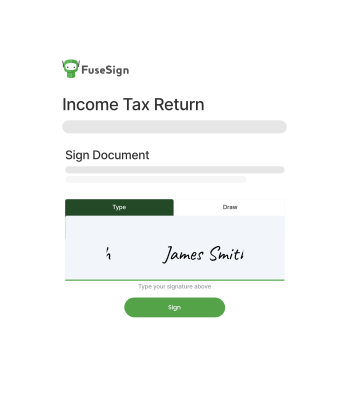
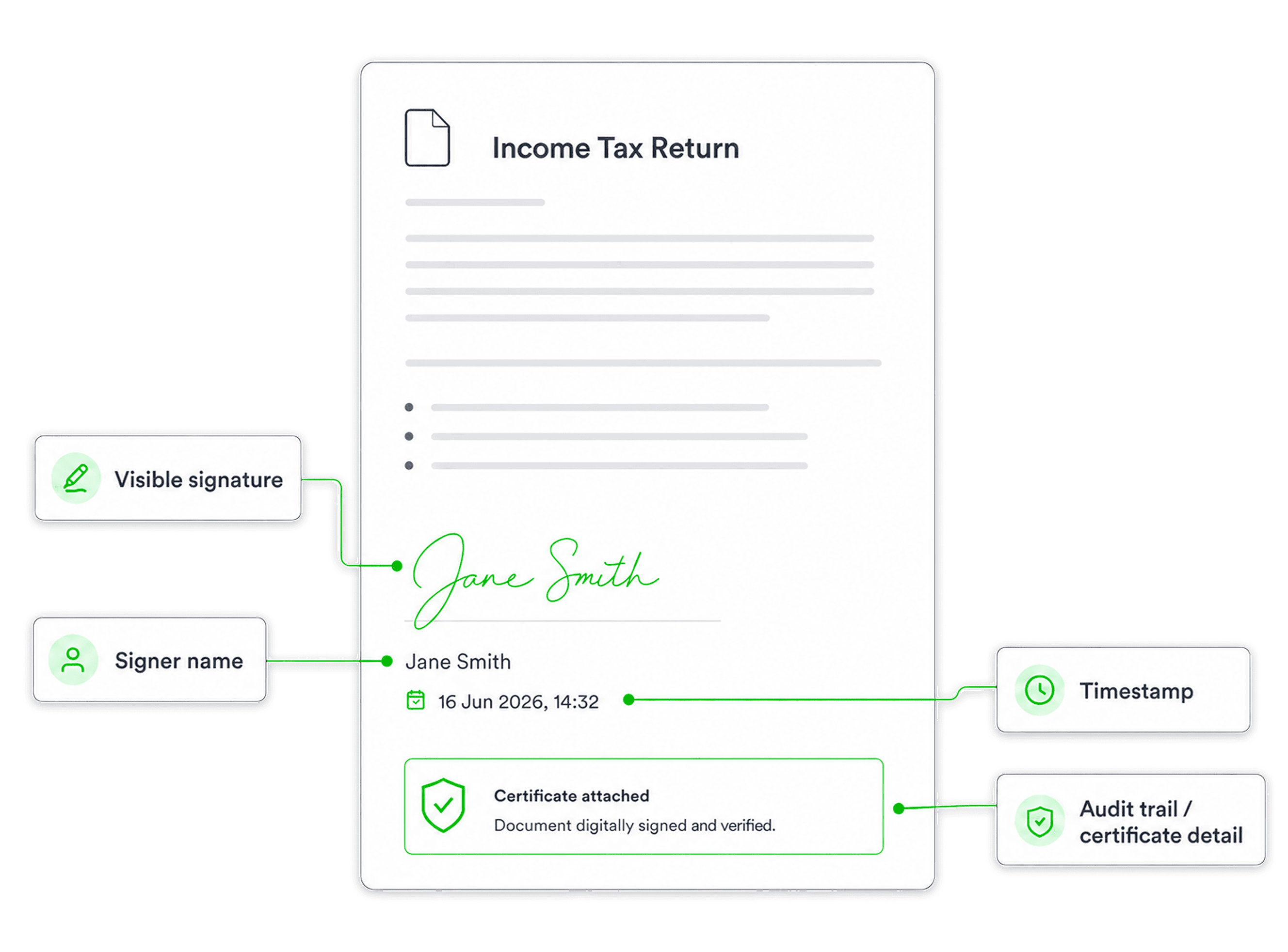
A digital signature is more than the visible mark on a page. The signature itself may appear as a typed
name, drawn signature, or signature block, but the important detail is the verification behind it.
A signed document may include evidence of who signed, when they signed, and whether the document has changed
post signature. In some cases, this evidence is supported by a digital certificate, audit trail, timestamp, or tamper-evident document
seal.
For a deeper explanation of how digital signatures work, see our guide: What
is a digital signature?
Digital signature samples by type
Different signature tools use different signature formats. These are some of the most common examples.
|
Signature type
|
What it looks like
|
Common use
|
Typed signature
|
The signer types their name into a signature field
|
Everyday business approvals, engagement letters, client forms
|
| Drawn signature |
The signer draws their signature with a mouse, finger, or stylus
|
Client approvals, forms, acknowledgements
|
Uploaded signature image
|
The signer uploads an image of their handwritten signature
|
Formal-looking documents where a familiar signature style is preferred
|
|
Click-to-sign approval
|
The signer confirms agreement by clicking a button or checkbox
|
Consent forms, online agreements, internal approvals
|
|
Certificate-backed digital signature
|
The document includes verification details linked to a certificate
|
Higher-assurance documents, compliance workflows, sensitive approvals
|
|
Audit trail record
|
The signing system records events such as sent, opened, signed, and completed
|
Business records, internal review, compliance evidence
|
Digital signature examples by document type
Digital signatures are commonly used when a document needs a clear record of approval.
|
Document type
|
Example use
|
Engagement letter
|
An accounting client confirms the scope of work before services begin
|
Financial statement
|
A director or client signs off on prepared financial statements
|
Tax document
|
A client reviews and approves tax-related paperwork
|
| Consent form |
A client gives permission or confirms important information
|
|
Compliance document
|
A firm records approval for a required process
|
Onboarding form
|
A new client completes setup documents before work begins
|
These examples show why the signature process matters as much as the signature format. Businesses often need to know who signed, when they
signed, and which version of the document was approved
Digital signature vs electronic signature examples
An electronic signature is any electronic way of showing agreement. A digital signature is a more secure
type of electronic signature that usually adds encryption, verification, or certificate-backed evidence.
|
Example
|
Electronic signature?
|
Digital signature?
|
|
Typing a name into a form
|
Yes
|
Not always
|
|
Drawing a signature on a screen
|
Yes
|
Not always
|
|
Clicking “I agree”
|
Yes
|
Not usually
|
|
Signatures through software with an audit trail
|
Yes |
May include digital signature features
|
|
Signing a PDF sealed with a digital certificate
|
Yes
|
Yes
|
In practice, many businesses use electronic signature software that includes digital signature features behind
the scenes. The right format depends on the document, risk level, and evidence required.
Digital signature examples for accounting firms
Accounting and bookkeeping firms often
send documents that need clear client approval. A digital signature workflow can help reduce printing, scanning, email follow-up, and
manual filing.
Common examples include:
|
Accounting document
|
Digital signature example
|
|
Engagement letter
|
A client provides a signature before the firm starts work
|
|
Tax document
|
A client approves tax paperwork without printing or scanning
|
|
Financial statement
|
A director or client signs off on prepared accounts
|
|
Client authority form
|
A client authorises the firm to act or lodge information
|
Compliance declaration
|
A client confirms required information
|
Onboarding pack
|
A new client provides a signature to multiple documents in one workflow
|
For firms, the value is not just the signature. It is the ability to send documents, track completion, remind clients, store signed
versions, and keep a clear record of signature activity.
A completed digital signature may include:
- the signer’s email address or identity details
- the date and time of signature
- the signature method used
- IP address or location metadata, where available
- certificate or document-sealing information
- confirmation that the final document has not been changed
The exact information depends on the signature platform and the document settings. For compliance-focused
workflows, firms should check what evidence is captured and how the signed document is stored.
How FuseSign helps with digital signatures
FuseSign helps accounting and bookkeeping firms manage digital signature
workflows
for common client documents, including engagement letters, tax documents, financial statements, onboarding forms, and compliance paperwork.
Firms can send documents for signature, reduce manual follow-up, improve turnaround times, and give clients
a simpler signature experience from email or SMS.
For more complex workflows, FuseSign also supports document bundles, signature order, internal approvals, audit trails, and integrations
with accounting and document-management platforms.
See how FuseSign supports signature workflows built for accounting firms.