Resources
What is a digital signature?
A digital signature is a secure type of electronic signature used to confirm who signed a document and whether the document has been changed after signing.
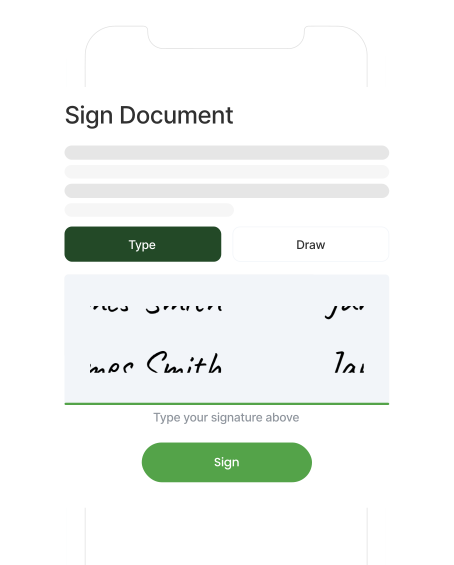

A digital signature is a secure type of electronic signature used to confirm who signed a document and whether the document has been changed after signing.
A digital signature is a way to sign a document electronically while adding extra security and verification.
Unlike a basic typed name or scanned image of a handwritten signature, a digital signature can include technical information that helps prove who signed the document and whether the document has been altered since it was signed.
In simple terms, a digital signature helps answer three important questions:
This makes digital signatures useful for businesses that need more confidence around document approval, client authorisation, and record keeping.
For accounting firms, this can be especially valuable when sending documents that need formal client approval, such as engagement letters, tax documents, financial statements, declarations, and onboarding forms.
Digital signatures use encryption to connect a signer to a document. The process can sound technical, but the basic idea is simple: once a document is digitally signed, the signature helps create a secure link between the signer and that exact version of the document.
A simplified digital signing process usually looks like this:
Each signed document is linked to a secure audit record.
Document sent
Client signs
Digital signature applied
Audit record stored
A digital certificate is used to help verify identity in a digital signing process.
It works a bit like a digital ID card. A certificate can connect a person, business, or system to a digital signature, helping prove that the signature came from the expected signer or source.
Digital certificates are usually issued by a certificate authority. The certificate authority acts as a trusted organisation that verifies identity before issuing the certificate.
A digital certificate may include details such as:
For most business users, the key thing to understand is this: a digital certificate helps add trust to a digital signature. It supports the evidence that the right person signed the document and that the document has not been changed since signing.
The terms “digital signature” and “electronic signature” are often used together, but they do not always mean the same thing.
An electronic signature is a broad term. It can include many ways of showing agreement electronically, such as typing a name into a form, clicking “I agree,” drawing a signature on a screen, or signing through an online signature tool.
A digital signature is a more secure type of
electronic signature. It usually uses encryption and may involve a digital certificate to help verify the signer and protect the document
from tampering.
|
Electronic signature |
Digital Signature |
|---|---|
| Broad term for signing electronically |
More secure type of electronic signature |
| May be as simple as typing a name or clicking a button | Uses encryption to protect the signed document |
| Common for everyday approvals and agreements | Useful where identity, integrity, and verification matter |
|
May or may not include advanced verification |
Often includes certificate or audit-trail evidence |
In practice, many businesses use electronic signature software that includes digital
signature features behind the scenes. The best option depends on the type of document, the level of assurance needed, and the legal
or compliance requirements that apply.
A digital signature can help provide evidence around a signed document.
The most important things it can help prove are:
Signer identity
A digital signature can help show who signed the document, especially when combined with identity checks, account details, certificate
information, or an audit trail.
Document integrity
A digital signature can help show whether the document has been changed after signing. If the document is altered, the signature may no
longer validate.
Time of signing
A signed document may include a timestamp showing when the signature was applied.
Signing record
Many signing tools create an audit trail that records key events, such as when the document was sent, opened, signed, and completed.
This is why digital signatures are useful in workflows where the signed document may need to be reviewed later by a client, firm, auditor, regulator, or internal team.
Digital signatures can be legally valid in many countries, including Australia, New Zealand, and the UK. However, the rules can vary depending on the jurisdiction, document type, industry, and signing method used.
In many business situations, electronic and digital signatures are accepted when there is clear evidence that the signer intended to sign, consented to the process, and that the signed document can be reliably retained.
That said, not every document should be treated the same way. Some documents may have specific signing requirements, witnessing rules, identity requirements, or industry obligations.
For that reason, businesses should check the requirements that apply to their documents and get legal advice where needed.
For accounting firms, it is also important to consider internal compliance processes, client authorisation requirements, and how signed records are stored.
Accounting firms often need clients to review, approve, and sign documents quickly. When signing still relies on printing, scanning, manual reminders, or email attachments, the process can slow down client work and create unnecessary admin.
Digital signatures can help firms manage document approval more efficiently.
Common accounting documents that may be signed digitally include:
|
Document type |
Example use |
|---|---|
| Engagement letters | A client signs before the firm begins work |
| Tax documents |
A client reviews and approves tax-related paperwork |
| Financial statements |
A client or director signs off on prepared documents |
|
Client onboarding forms |
A new client completes required setup documents |
| Declarations and consent forms |
A client confirms information or gives authority |
| Compliance documents |
A firm records approval for required processes |
For firms, the value is not only the signature itself. It is the workflow around the signature: sending the document, tracking completion, reminding clients, storing the signed version, and keeping a clear record of what happened.
That is where purpose-built signing workflows can be more useful than relying on email alone.
Learn more about different examples of digital signatures.
FuseSign helps accounting and bookkeeping firms send documents for signing without adding unnecessary admin to the client experience.
Instead of printing, scanning, and chasing documents manually, firms can use FuseSign to manage signing workflows in a way that is designed for professional services and their teams.
For accounting firms, this can help with:
Digital signatures are especially useful when firms need to send repeatable, client-facing documents at scale, such as engagement letters, tax forms, financial statements, and onboarding packs.
See how FuseSign helps accounting firms manage document signing.
See why thousands of businesses trust FuseSign to reduce admin, speed up turnaround and deliver a better client experience.