Start Free Trial Start Free Trial

CLIENT RESOURCE HUB

Everything you need to introduce FuseSign

Use these ready-to-go templates, guides and resources to introduce FuseSign, prepare your team and help clients know what to expect.

Explore the Resource Library Explore the Resource Library

Prepare Your Team

Help your staff understand FuseSign and know where to find training and support.

Template

Internal Staff Communication

A ready-to-use message to help your team understand the move to FuseSign before launch.

Helps staff understand:

  • Why FuseSign is being introduced
  • What your team need to know
  • Where to find training and support

Best for: briefing your team before you introduce FuseSign to clients.

Use staff template Use staff template

Tell Your Clients

Ready-to-use copy and templates for announcing FuseSign to the people you work with.

Template

Client Announcement Template

A ready-to-use announcement to help you introduce FuseSign to your clients across email and your website.

Includes:

  • Client announcement email
  • Website/news announcement
  • Key client benefits and security reassurance

Best for: introducing FuseSign before your first signing requests are sent.

Download template
Download template

Spread the Word

Graphics and copy to help you announce FuseSign across social media, your website and email.

Download pack

Social Media Launch Pack

Ready-to-use copy and graphics to help you announce FuseSign across your social channels.

Includes:

  • LinkedIn, Facebook and Instagram copy
  • Short and long caption options
  • Ready-to-use social graphics

Best for: sharing your move to FuseSign around your launch.

Download social pack Download social pack
Download pack

FuseSign Website Badge

A simple badge firms can use to show they use FuseSign for digital signing.

Potential uses:

  • Website footer
  • Client portal
  • Email signature

Best for: showing clients that your firm uses FuseSign for digital signing.

Download badge Download badge

Help Your Clients Get Started

Send these resources to clients so they feel confident when their first FuseSign request arrives.

Guide

What is FuseSign? Client Guide

A ready-to-use client guide explaining what FuseSign is, what to expect when signing, and where to get help.

Covers:

  • What FuseSign is and why your firm uses it
  • What to expect when signing documents
  • How to get started and where to find help

Best for: helping clients understand FuseSign before or alongside their first signing request.

Download Client Guide Download Client Guide
Video

Signing Walkthrough

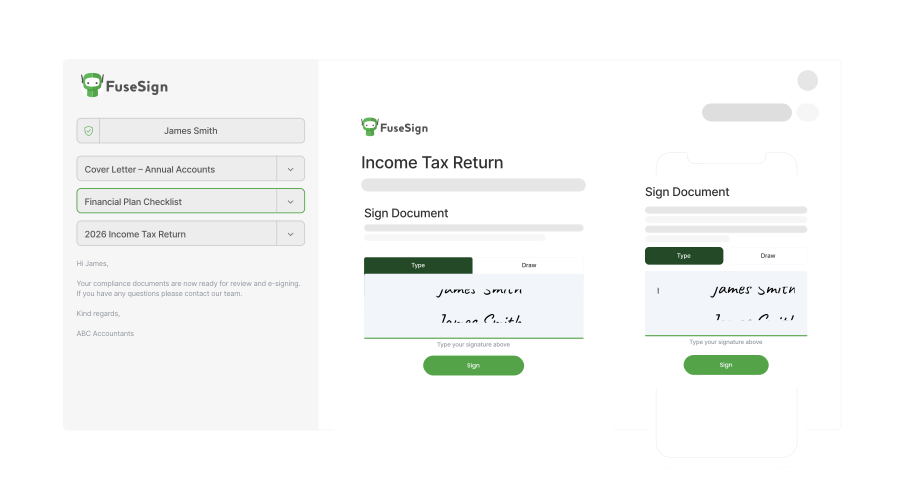
A quick walkthrough showing clients what happens when they receive documents to review and sign.

In this video:

  • How to open and review a signing request
  • How to sign and submit documents
  • What happens after signing

Best for: clients who want to see how the signing process works before getting started.

Watch signing walkthrough Watch signing walkthrough
FAQ

Client FAQ

Answers to common questions clients may have when using FuseSign for the first time.

Training & Support

Make sure your team knows where clients can get help and how to find ongoing training and support.

Support

Training & Support Resources

Helpful resources for your team as you get started and continue using FuseSign.

Find help with:

  • Getting started and training guides
  • FAQs and troubleshooting
  • Contacting FuseSign support
Visit Knowledge Base Visit Knowledge Base

Need an extra hand?

Want more help? Contact our support team or head to our Knowledge Base for additional support.

Contact us Contact us Knowledge base Knowledge base

© FuseWorks Pty Ltd 2012-2026 | ABN 78 159 891 335